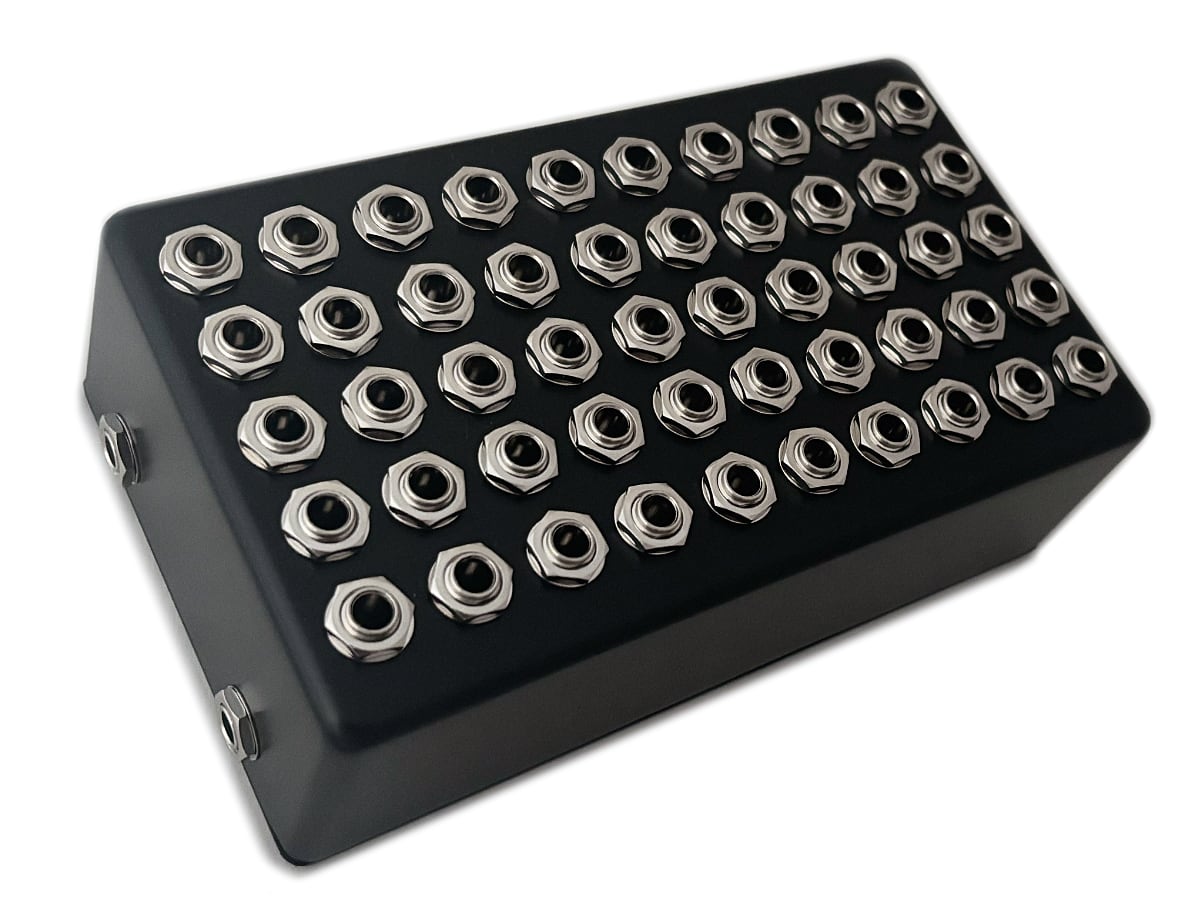
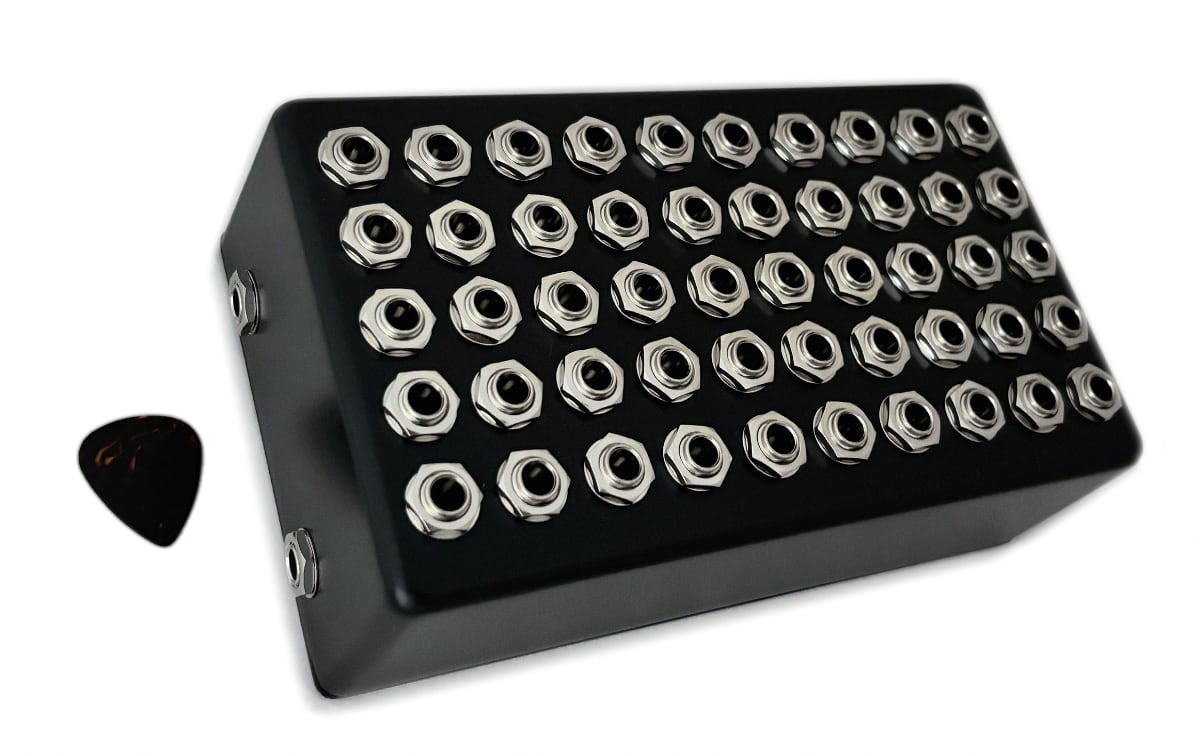
Inspired by a group of programmers that attempted to build The Worst Volume Control UI, we’ve come up with the worst volume pedal design. Does it work? Yes! Does it solve a problem anyone has? No! Rather than a volume knob we’ve gone with fifty jacks starting at 98% and dropping in 2% increments down to completely muted.
This device measures in at about 7.5″ x 4.5″ and weighs over 2 pounds due to the 52 jacks. The enclosure was an accidental order nearly 20 years ago and being an awkward size it’s been sitting and waiting for the right project. The top face happens to have the perfect amount of space for 50 jacks and the unusual height leaves plenty of clearance for the jacks to mount vertically. The completely passive design means no power supply is needed. I’m not entirely sure what will happen to this but one thing for certain is this will never be a production device from us.
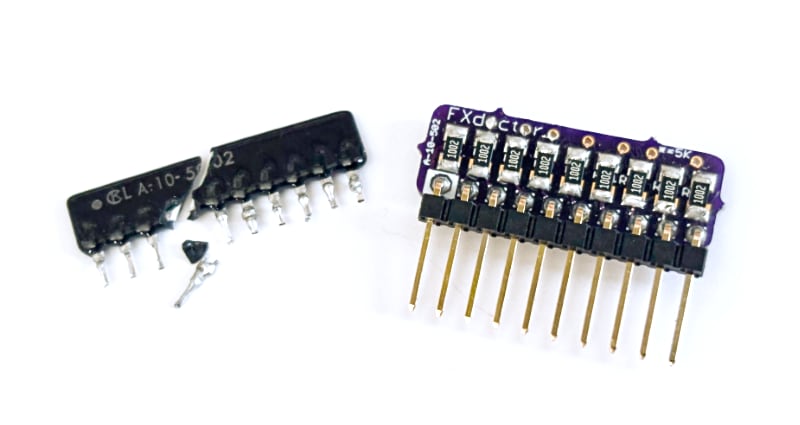
The Digitech PDS series is the most common pedal that we see in for modifications and a recent one came in with a mystery distortion on the delayed signal. After a closer inspection we found the LA-10-502 resistor network was physically cracked and needed to be replaced. Unfortunately this part is long out of production and even a modern equivalent was difficult to find in a SIP package.
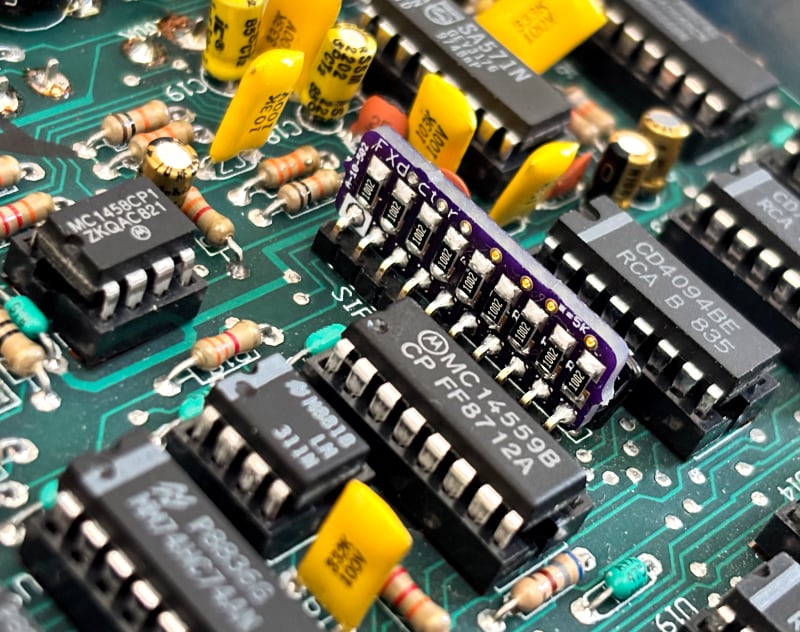
This part is a network of resistors combined into one package used in conjunction with some chips to convert the analog signal to digital and back again to analog. Since there’s a good amount of space available inside of the pedal we were able to build our own direct replacement for this part to repair the pedal and have available for future repairs.
Above is a close-up of the chip showing that there was no saving it. Below we can see the replacement installed and working as expected. It’s a bit taller than the original and could be mounted closer to the PCB if needed but the PDS circuit board had plenty of clearance between components allowing us to build a PCB that’s easy to assemble and install.
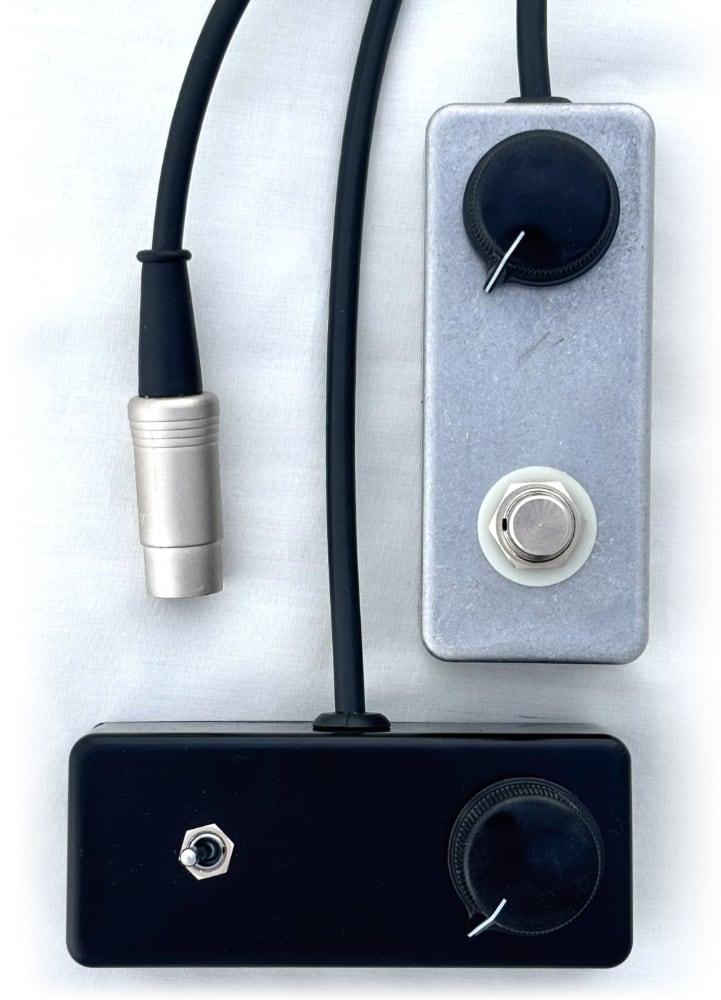
This is a fourth post of our Shin-ei Uni-Vibe controller – a mini option to replace the massive rocker footswitch that the original uses. Above we have two formats:
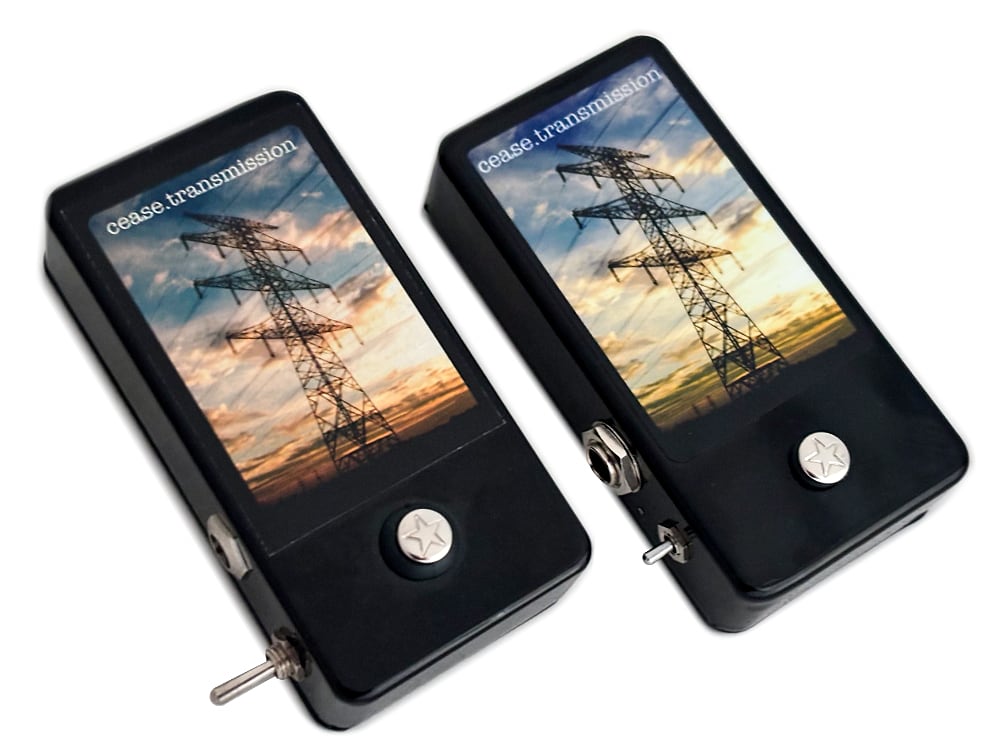
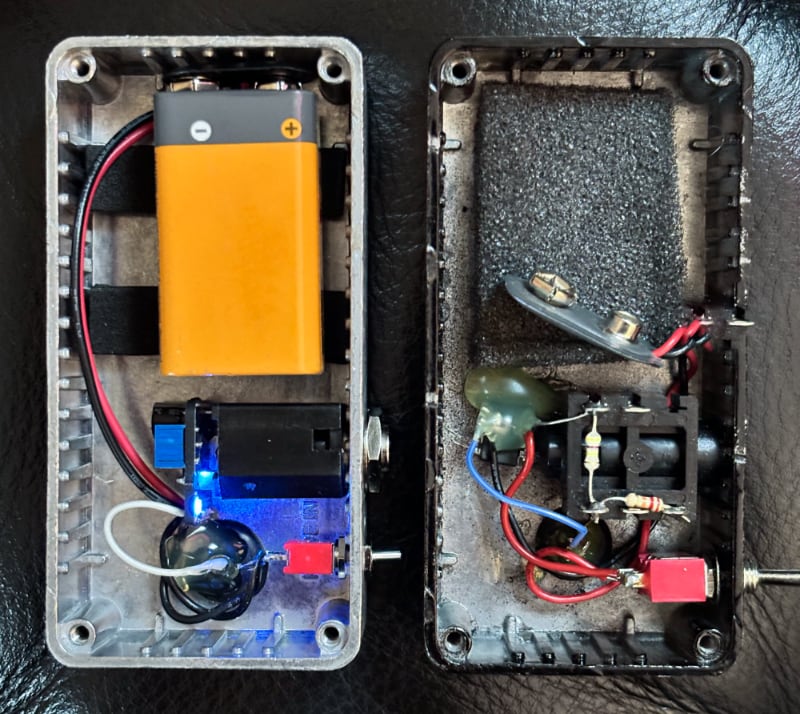
In around 2006 we started offering the cease.transmission noise maker / oscillation device on our website. You put your finger on the touchpad and it outputs a tone. These were time consuming to make but we kept them on the website for almost 10 years because they filled a hole in our lineup of oddball noise devices. Now revisiting this circuit nearly 20 years later we have a much different pedal building landscape in terms of PCB and parts availability. The original device had no PCB and everything was wired point to point. The 2025 revision has a tiny PCB mounted to the back of the output jack and also a volume trimpot as well as a tiny power LED that you can peep through a small hole drilled in the side of the enclosure. Otherwise this is the same circuit two decades later and even uses the same batch of touchpads that we ordered back in the day.
These will be available in small batches and may not always be listed on our products page.
2025 prototype on the left; 2012 prototype on the right
The Electro-Harmonix Freeze Sound Retainer has always been a favorite and a pedal that sits on my personal pedalboard. It’s a really unique effect that can add a lot of texture for such a small package. The biggest complaint by far has always been the footswitch on this pedal; It uses a momentary switch that has a physical click when depressed. This can be particularly annoying if you’re repeatedly triggering the pedal. We’ve offered an Overhaul Mod to replace the footswitch with a soft touch footswitch and also a 1/4″ jack so you can use your preferred remote footswitch. Connecting a sustain pedal designed for a digital piano immediately became my preferred way of using this pedal but let’s take it one step further and rehouse the entire EHX Freeze’s circuit board inside of the sustain pedal.
The rehousing started off with trimming down the Freeze’s PCB to fit into the new enclosure. The sustain pedal is large but the inside has a massive spring and hinge mechanism so there isn’t as much room as it appears. The casing is plastic so the inside needed to be shielded with copper tape. After that we’re installing a DC jack on back, 1/4″ jacks on the side for in and out, volume on the side, and a red LED on top. This pedal had the toggle switch removed and has been wired to permanently be in the “Slow” mode which allows the sampled sound to slowly fade out. Otherwise there are no surprises or add-ons as the goal for this project is to have a simple pedal that does one thing very well.
I look at this rehousing and I think this is how the sound retainer circuit should have been packaged. The smooth, long taper of the sustain pedal feels natural and doesn’t introduce mechanical noise that might be picked up by microphones when recording an orchestral string instrument. Rehousing everything into one package not only saves space but also simplifies setup. This rehousing is definitely not for everyone, but I think I’ll see some people that can appreciate the modifications!
And now for the bad news: this project was incredibly time consuming and isn’t something that we’ll be offering again. It was a fun project but it’s not a good business offering.
It’s been about 12 years since our last Mu-Tron III Rehousing blog post. Since then we’ve made a few refinements and now have what we’d consider a standard combination rehousing and overhaul. The goal is to shrink down the footprint of the original pedal while also adding in modern features from our standard Mutron Overhaul modification.
We start off this mod by taking the circuit board out of the stock enclosure and removing the multi-colored rocker switches. The circuit board is then installed into the new enclosure measuring about 4.7″ x 5.7″ now with the in and output jacks on the sides instead of the back of the pedal. DC input jack just barely visible on the left side as well.
For modifications we go with the three big ones that make up our Overhaul mod: 1. Install a new footswitch that’s wired for true bypass and put in a status LED that lights up when the pedal is active. No more turning the gain knob and having it adjust your bypassed volume level once the pedal is converted to true bypass. 2. Install a standard 9V DC jack and a voltage inverter so you no longer need to track down an original 18V power supply. Unfortunately after the rehousing there’s no longer a 9V battery option due to space limitations in the casing. 3. We add a sensitivity knob to fine tune how wide the filter opens. You can still use the stock Gain knob to roughly adjust the volume and then dial in the filter’s sensitivity separately without impacting the overall volume. The sensitivity knob is designed to complement the Gain knob.
So there we have it. Same original tone, some nice-to-have updates, some expanded controls, all in a smaller package.
My favorite part of running a custom shop is when I have time to work on these oddball projects. We’ve had a few similar prototypes over the years but decided to finalize the design in what you see on this page. The goal was to create a circuit that triggers when physically tapped anywhere on the casing. Then we can tie that trigger into existing circuits such as turning a pedal on or off (as shown below) or functioning as a replacement for a tap tempo pedal.
So you might be wondering what the point of this is- why not just press the on/off switch on the Boss pedal shown below; or why not just use a standard momentary switch for tap tempo? The simplest answer is preference. Footswitches work great for feet but can be clunky and imprecise for musicians sitting at a desk, keyboard players, or anyone using their hands to activate. Tapping a pad is easier to tap on beat than pushing a foot switch. Drummers can trigger a device by tapping the device with a drum stick. This device is for a very specific purpose and likely doesn’t apply to most guitarists.
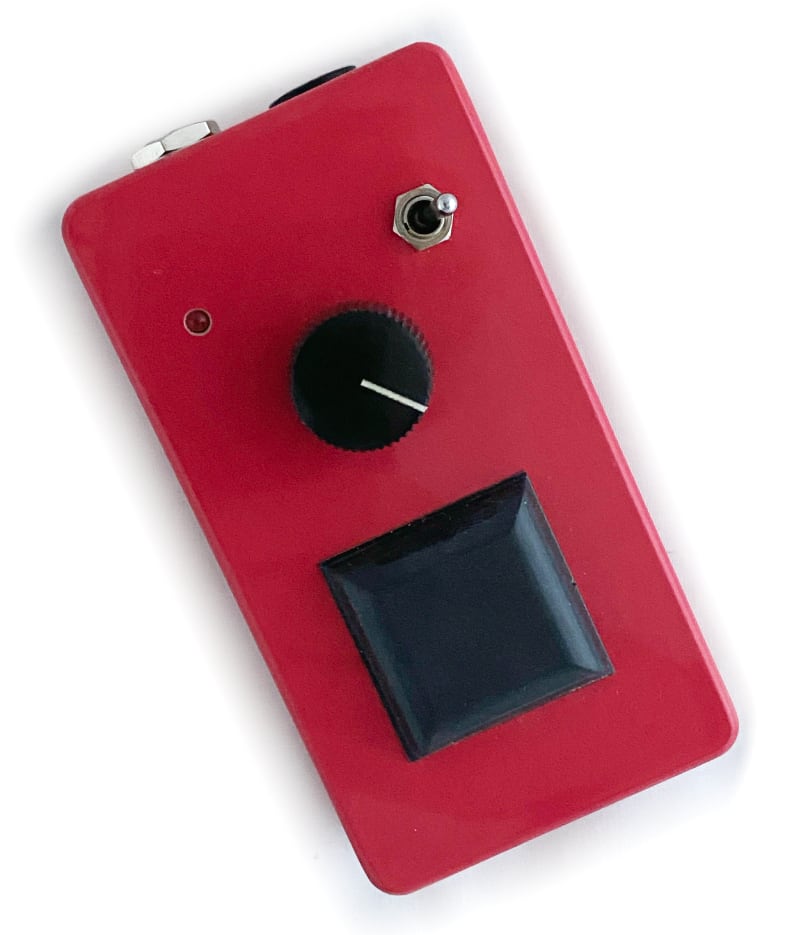
A quick run down of the controls on the red tap tempo prototype: • Big Rubber Pad for tapping • Sensitivity knob – controls how hard you need to tap to trigger the device • Red LED – indicates when the device triggers. Great for troubleshooting and confirming the device is firing when expected • Override Toggle Switch – this functions as a backup for when tapping isn’t needed. This momentary toggle switch will short the tip to ground like any traditional tap tempo switch. • Output jack – 1/4″ out to connect to control device • 9V DC jack – very low power draw (a few mA) but does require external power.
Below is what this tap tempo prototype looks like when tied into the bypass switch of a modified Boss NF-1.
A quick function check on a modified NF-1
This circuit board was then trimmed down to be smaller than a 9V battery and fit in the battery compartment of any standard pedal. Below is an install of the circuit to control the bypass of a Boss DM-2W. The pedal should only activated when the pedal itself is tapped and should not be sensitive enough to trigger on or off when the jacks are bumped.
This pedal should activate only when the case it tapped and NOT when the jacks are tapped.A peek at the circuit board with the smallest sensitivity adjustment trimpot installed in the battery compartment.
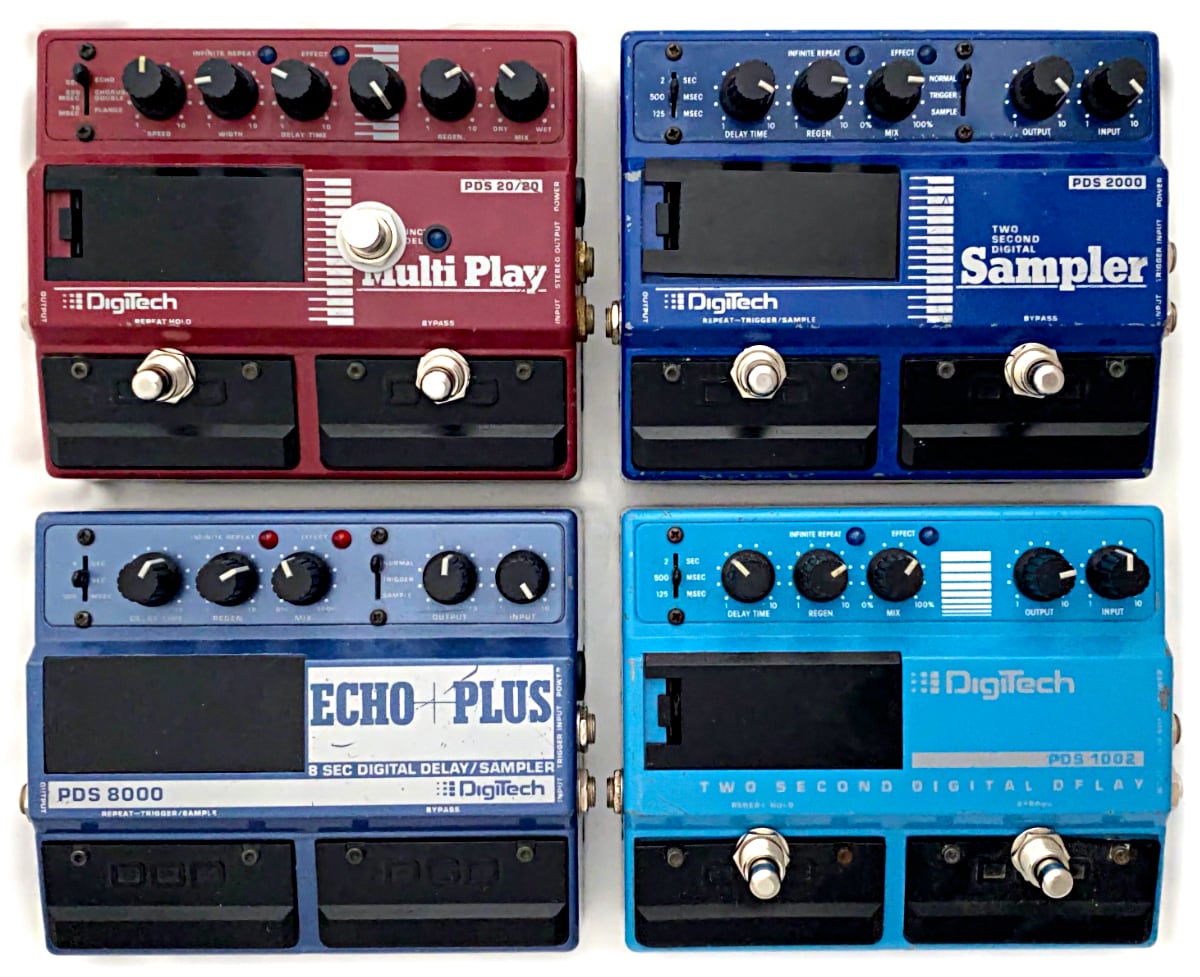
We’ve been posting about these old Digitech PDS series pedals for years both as restoration projects and overhaul mods to make the pedal function better than new. I think we have a good sampling of the delay pedals shown above – all fully restored with various modifications performed depending on what we were experimenting with at the time.
Since these pedals are now approaching 30+ years old we like to do the basic maintenance of cleaning, replacing hardware, install a standard “Boss style” 2.1mm DC jack, new mechanical foot switches, upgrade aging components or just low quality op-amps. The goal is the improve the analog section of the pedal while keeping the original digital circuitry all original when possible. We want the pedal to be reliable but we’re not trying to reinvent the sound. The biggest sonic change that we recommend would be installing a high-cut knob to roll off the treble and give a much more ambient sounding delay.
Other nice-to-have options include replacing the LEDs with something a bit brighter or to just match the color of the pedal. For the PDS 20/20 above we installed a foot switch to bypass the modulation effect making it even more versatile. We’ve also experimented with adding modulation to the PDS 1002 but at the end of the day decided to keep it simple.
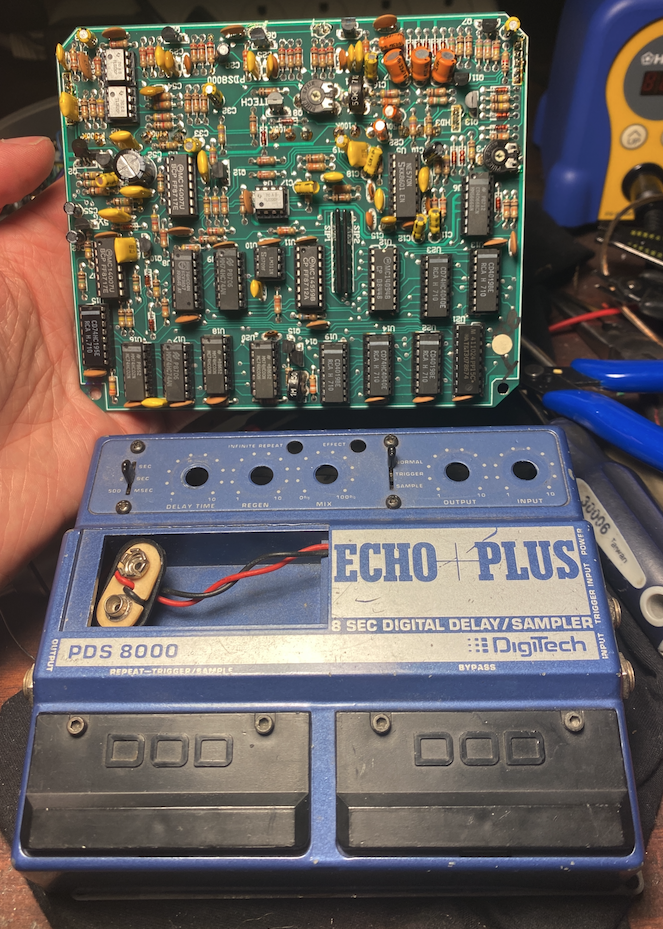
So many ICs
Experimental mods listed above are not necessarily available to be ordered. Please check out our modifications page for what’s currently available on the PDS series pedals.
Here’s another personal project used to test out some new designs and ends up going into the collection of oddball pedals. The goal was to take a Crybaby wah circuit and make the smallest PCB possible while also adding functionality. Some favorites from this fixed-way pedal: 1. Added Resonance and Midrange knobs plus a Frequency toggle switch 2. A volume boost circuit plus volume knob since filter pedals can cut the volume when activated. 3. Pads for both a Fasel inductor or the standard one found in Crybaby wahs for years. 4. Expression pedal jack so the pedal could be controlled like a more traditional wah pedal. 5. Socketed transistors to allow for experimenting.
Overall this ends up being a very versatile filter pedal in a reasonably sized Gold 125B enclosure from Small Bear.
Here’s a list of tools I either use or recommend for people getting into modding and building their own pedals. I’ll update if anything new or exciting comes out but these are the basics:
Soldering Irons: Hakko FX-888D – A popular mid-level soldering iron. Lots of tips available, heats up quick, good overall iron. Weller is also a popular choice but my favorite model was discontinued. Hakko FX-951 – Twice the price of above but is a great choice for extensive SMD soldering.
Soldering / Desoldering Accessories: Kester Lead-Free Solder – Buy a pound so you don’t run out mid project. Solder Reel Dispenser – Put your reel of solder on a dispenser for easier positioning. Hakko 599B Tip Cleaner – Brass shavings to clean the soldering tip instead of a wet sponge. Tip Tinner – Cleans and conditions soldering iron tip. Works wonders. Solder Sucker – A great option to have on hand in addition to desoldering wick.
Hand & Power Tools: Xcelite 170M Shearcutters – Seriously, buy a pair of shearcutters. I see so many people using wire cutters which just can’t get in tight against the PCB to clean up the leads after soldering. Xcelite 378M Thin Pliers – Small pliers are so much easier to work with when trying to navigate inside of a pedal casing. Great for precisely bending leads, grabbing parts to be desoldered, or fishing wires through tight spaces. Precision T-Rule – Accurately measure from the edge of the casing for marking where you need to drill. Down to 1/64″ so you can get very accurate center lines. You’ll need a very fine mechanical pencil to use the indexing holes. Center Punch – Mark the hole so the drill bit doesn’t walk out of alignment. There are automatic versions but I prefer this style and find them to be less likely to slip. Wear your hearing protection because this is LOUD. Bosch power drill – A good general purpose drill that’s not too heavy or oversized. Seiko Step Drill Bits – Step drill bits are great to have on hand for opening up holes to a slightly larger size. Be sure to check fitment as you drill to make sure you don’t accidentally go one size too far. These are cheap ones; Irwin makes a cobalt version for harder metals or heavy use. Craftsman 1/4″ Spinner Handle – Much more comfortable and convenient for low torque applications where you don’t need a ratchet. ATD 6-point SAE & Metric 1/4″ Socket Set – Covers every size you’ll find on a pedal. You’ll want both metric and SAE and up to a 1/2″ deep socket for footswitches. 6-Point sockets are more durable and less prone to rounding than a 12-point.